About Photo to PDF Scanner - Scan It
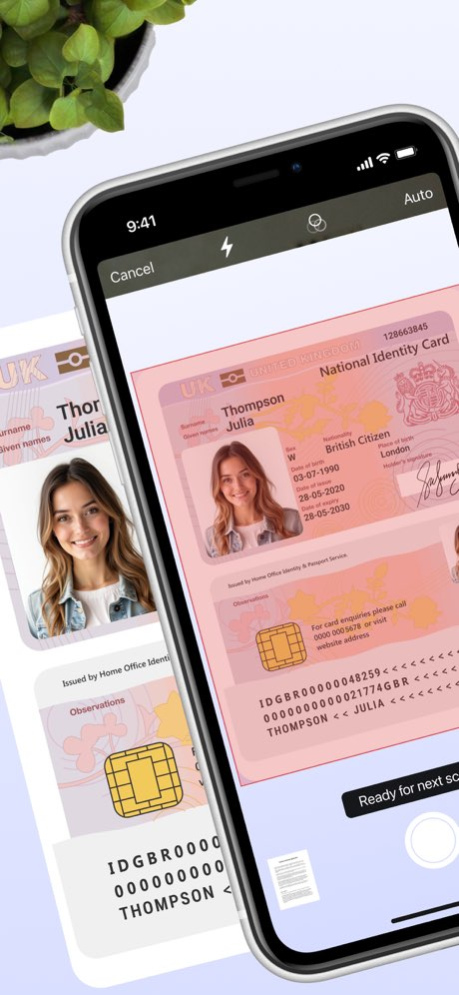
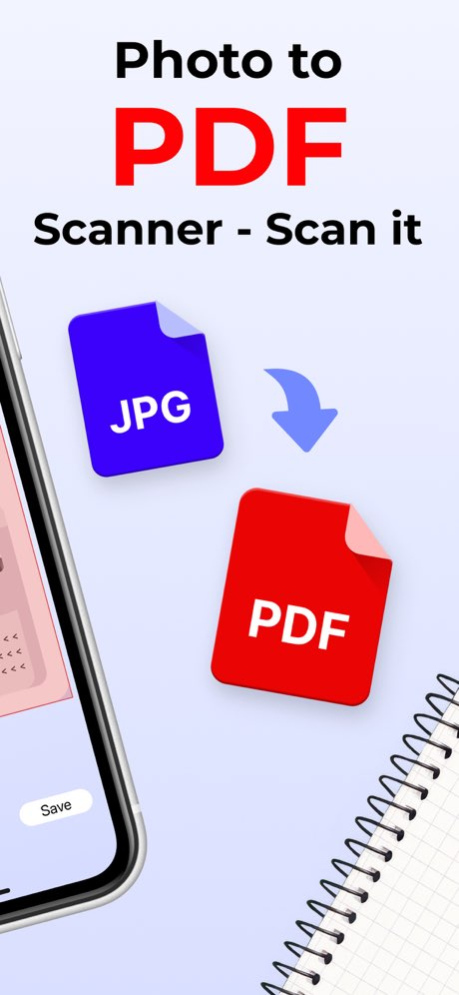
Meet Scanit is a simple yet powerful scanner app that lets you quickly scan any document and convert it into PDFs. Scanit was built with simplicity in mind to let you accomplish the task of scanning, storing, and sharing...
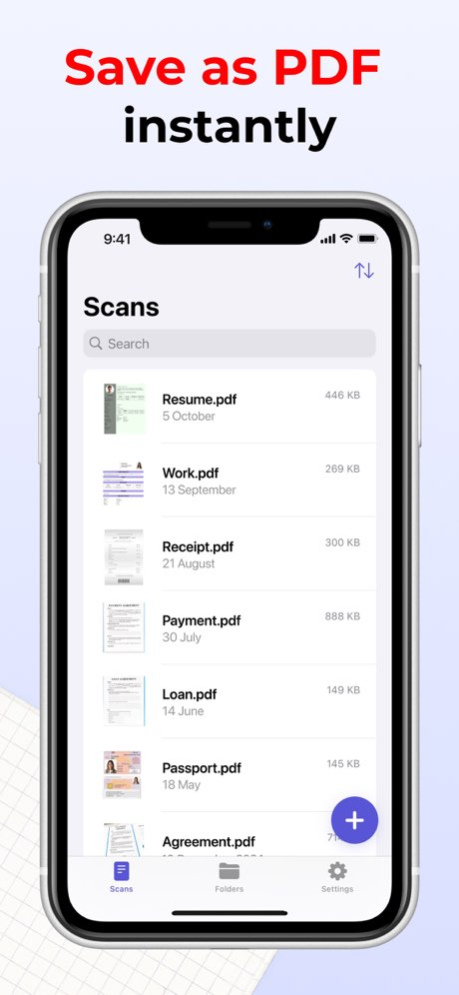
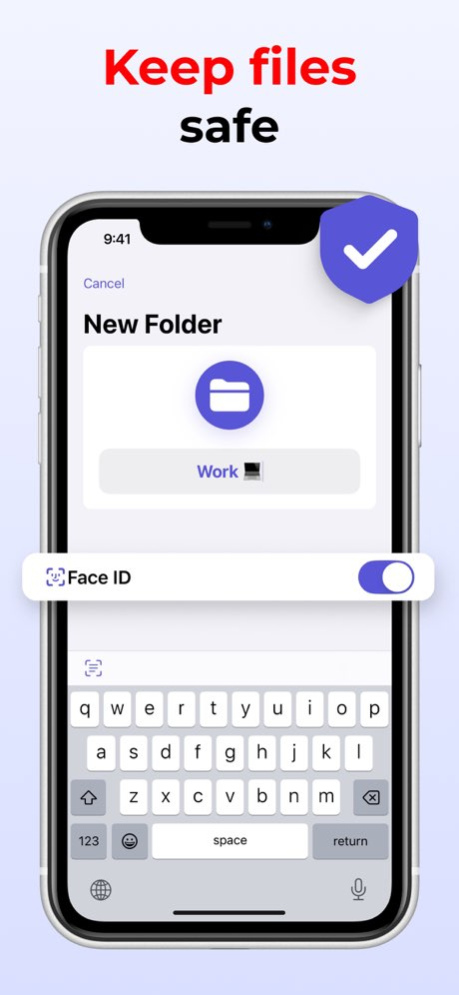
Meet Scanit is a simple yet powerful scanner app that lets you quickly scan any document and convert it into PDFs. Scanit was built with simplicity in mind to let you accomplish the task of scanning, storing, and sharing documents more efficiently. Being simple yet powerful means that Scanit will not only let you scan your documents quicker and more efficiently, but it also offers some useful features you will enjoy using. With Scanit, you can safely store any documents linked to your iCloud account or locally on your device in iCloud Drive. Scanning lets you share your PDF documents with others with just a few clicks. You can preview your documents, scroll through them, go back and forth between pages, and add additional scans to already existing records. KEY FEATURES: - Up to 20 scans for non-Pro users - iCloud Drive support - Ability to view and interact with PDF documents - Ability to add additional scans to already existing documents - Ability to share documents with just a few clicks - 5 Scan quality options (Ultra high, high, medium, low, and ultra-low) to let you minimize the size of your scans or make them even clearer if you ever need to - 3 Simple Siri Shortcuts that let you perform various actions within the app faster - Drag & Drop support - Swipe actions support - Handoff support - Quick Note support PRO FEATURES: - Unlimited number of scans - Access to folders that will allow you to organize your documents better - Unlimited number of folders - 10 Alternative app icons for you to choose from - 15 Different tint colors that will let you make the app feel more unique to you - Ability to lock the app with Face ID or Touch ID to secure all of your scans - Ability to pick the default launch screen - Ability to change the appearance specifically for Scanit Privacy Policy: https://zipoapps.com/scanitios/privacy Terms: https://zipoapps.com/scanitios/terms/
Version History Bug fixes 2.3.1 12/21/2024 User experience improvement. Effortlessly scan, store, and share docs in PDF! 2.3.0 11/13/2024 Thank you for downloading Scanit! Scanit 2.2 is finally here featuring the support for iOS 17 and iPadOS 17. What is New: - Ability to rename scans - Support for iOS 17 and iPadOS 17 - Various improvements and bug fixes If you have a feature request or if you have found any bugs or things that are behaving weirdly, we would highly appreciate it if you could let us know by getting in touch with us at info@designtech.so. Thank you for using Scanit, we are extremely grateful that you have chosen our app! If you are enjoying it, please consider leaving a positive review since it helps us a lot. 2.2.2 05/18/2024 Thank you for downloading Scanit! Scanit 2.2 is finally here featuring the support for iOS 17 and iPadOS 17. What is New: - Ability to rename scans - Support for iOS 17 and iPadOS 17 - Various improvements and bug fixes If you have a feature request or if you have found any bugs or things that are behaving weirdly, we would highly appreciate it if you could let us know by getting in touch with us at info@designtech.so. Thank you for using Scanit, we are extremely grateful that you have chosen our app! If you are enjoying it, please consider leaving a positive review since it helps us a lot. 2.2.1 12/31/2023 Thank you for downloading Scanit! Scanit 2.2 is finally here featuring the support for iOS 17 and iPadOS 17. What is New: - Ability to rename scans - Support for iOS 17 and iPadOS 17 - Various improvements and bug fixes If you have a feature request or if you have found any bugs or things that are behaving weirdly, we would highly appreciate it if you could let us know by getting in touch with us at info@designtech.so. Thank you for using Scanit, we are extremely grateful that you have chosen our app! If you are enjoying it, please consider leaving a positive review since it helps us a lot. 2.2 09/13/2023 Thank you for downloading Scanit! Scanit 2.1 is finally here and it features a large amount of new features that we hope you will enjoy using, as well as the support for iOS 16. What is New: - Support for iOS 16 - Ability to set a custom default file name - Support for Lock Screen widgets (iOS 16 feature) - Support for focus filters (iOS 16 feature) - Support for App Intents (iOS 16 feature) If you have a feature request or if you have found any bugs or things that are behaving weirdly, we would highly appreciate it if you could let us know by getting in touch with us at info@designtech.so. Thank you for using Scanit, we are extremely grateful that you have chosen our app! If you are enjoying it, please consider leaving a positive review since it helps us a lot. 2.1 09/17/2022 Thank you for downloading Scanit! Scanit 2.0 is finally here and it features a large amount of new features and improvements that we hope you will love and enjoy using! What is New: - Added a new screen showcasing all of the other apps we have on offer What is Improved: - Increased spacing between items in the lists for better readability - Tint color of the loading indicators What is Fixed: - Fixed the issue with the 'Get Scanit Pro' button when it's in the disabled state on the 'Scanit Pro' screen Scanit 2.0: - iOS/ iPadOS 15 support - Quick Note support - 3 New localizations added (Scanit now supports Spanish, Italian and Portuguese) - Swipe actions support (Perform different actions with your folders and scans even faster now) - Refreshed design (We have updated the design to make it more intuitive) - Drag & Drop support (You can now quickly move your scans between folders) - Handoff support - You can now change the appearance specifically for Scanit (System, light and dark) - You can now set the default launch screen (Scans, folders or settings) - Various performance improvements and bug fixes If you have a feature request or if you have found any bugs or things that are behaving weirdly, we would highly appreciate it if you could let us know by getting in touch with us at info@designtech.so. Thank you for using Scanit, we are extremely grateful that you have chosen our app! If you are enjoying it, please consider leaving a positive review since it helps us a lot. 2.0.5 06/09/2022 Thank you for downloading Scanit! Scanit 2.0 is finally here and it features a large amount of new features and improvements that we hope you will love and enjoy using! What is New: - Small design changes and improvements Scanit 2.0: - iOS/ iPadOS 15 support - Quick Note support - 3 New localizations added (Scanit now supports Spanish, Italian and Portuguese) - Swipe actions support (Perform different actions with your folders and scans even faster now) - Refreshed design (We have updated the design to make it more intuitive) - Drag & Drop support (You can now quickly move your scans between folders) - Handoff support - You can now change the appearance specifically for Scanit (System, light and dark) - You can now set the default launch screen (Scans, folders or settings) - Various performance improvements and bug fixes If you have a feature request or if you have found any bugs or things that are behaving weirdly, we would highly appreciate it if you could let us know by getting in touch with us at info@designtech.so. Thank you for using Scanit, we are extremely grateful that you have chosen our app! If you are enjoying it, please consider leaving a positive review since it helps us a lot. 2.0.4 01/07/2022 Thank you for downloading Scanit! Scanit 2.0 is finally here and it features a large amount of new features and improvements that we hope you will love and enjoy using! What is New: - Christmas sale added (Save 30% on Scanit Pro Lifetime) Scanit 2.0: - iOS/ iPadOS 15 support - Quick Note support - 3 New localizations added (Scanit now supports Spanish, Italian and Portuguese) - Swipe actions support (Perform different actions with your folders and scans even faster now) - Refreshed design (We have updated the design to make it more intuitive) - Drag & Drop support (You can now quickly move your scans between folders) - Handoff support - You can now change the appearance specifically for Scanit (System, light and dark) - You can now set the default launch screen (Scans, folders or settings) - Various performance improvements and bug fixes If you have a feature request or if you have found any bugs or things that are behaving weirdly, we would highly appreciate it if you could let us know by getting in touch with us at info@designtech.so. Thank you for using Scanit, we are extremely grateful that you have chosen our app! If you are enjoying it, please consider leaving a positive review since it helps us a lot. 2.0.3 12/01/2021 Thank you for downloading Scanit! Scanit 2.0 is finally here and it features a large amount of new features and improvements that we hope you will love and enjoy using! What is New: - Black Friday Month Sale (Save 40% on Scanit Pro Lifetime) Scanit 2.0: - iOS/ iPadOS 15 support - Quick Note support - 3 New localizations added (Scanit now supports Spanish, Italian and Portuguese) - Swipe actions support (Perform different actions with your folders and scans even faster now) - Refreshed design (We have updated the design to make it more intuitive) - Drag & Drop support (You can now quickly move your scans between folders) - Handoff support - You can now change the appearance specifically for Scanit (System, light and dark) - You can now set the default launch screen (Scans, folders or settings) - Various performance improvements and bug fixes If you have a feature request or if you have found any bugs or things that are behaving weirdly, we would highly appreciate it if you could let us know by getting in touch with us at info@designtech.so. Thank you for using Scanit, we are extremely grateful that you have chosen our app! If you are enjoying it, please consider leaving a positive review since it helps us a lot. 2.0.2 11/01/2021 Thank you for downloading Scanit! Scanit 2.0 is finally here and it features a large amount of new features and improvements that we hope you will love and enjoy using! What is New: - Small UI changes Scanit 2.0: - iOS 15 support - Quick Note support - 3 New localizations added (Scanit now supports Spanish, Italian and Portuguese) - Swipe actions support (Perform different actions with your folders and scans even faster now) - Refreshed design (We have updated the design to make it more intuitive) - Drag & Drop support (You can now quickly move your scans between folders) - Handoff support - You can now change the appearance specifically for Scanit (System, light and dark) - You can now set the default launch screen (Scans, folders or settings) - Various performance improvements and bug fixes If you have a feature request or if you have found any bugs or things that are behaving weirdly, we would highly appreciate it if you could let us know by getting in touch with us at info@designtech.so. Thank you for using Scanit, we are extremely grateful that you have chosen our app! If you are enjoying it, please consider leaving a positive review since it helps us a lot. 2.0.1 10/31/2021 Thank you for downloading Scanit! Scanit 2.0 is finally here and it features a large amount of new features and improvements that we hope you will love and enjoy using! What is New: - iOS/ iPadOS 15 support - Quick Note support - 3 New localizations added (Scanit now supports Spanish, Italian and Portuguese) - Swipe actions support (Perform different actions with your folders and scans even faster now) - Refreshed design (We have updated the design to make it more intuitive) - Drag & Drop support (You can now quickly move your scans between folders) - Handoff support - You can now change the appearance specifically for Scanit (System, light and dark) - You can now set the default launch screen (Scans, folders or settings) - Various performance improvements and bug fixes If you have a feature request or if you have found any bugs or things that are behaving weirdly, we would highly appreciate it if you could let us know by getting in touch with us at info@designtech.so. Thank you for using Scanit, we are extremely grateful that you have chosen our app! If you are enjoying it, please consider leaving a positive review since it helps us a lot. 2.0 10/13/2021 Thank you for downloading Scanit! We hope you are enjoying the app! Here is the list of things this update brings. What is New: - Scanit now supports Simplified Chinese, Russian, German, and French - Refreshed app icon to better match with DesignTech’s brand and our other apps - 5 New alternative app icons added (You can now choose from 10 different app icons) - Improved haptic feedbacks (We made them less overwhelming and more helpful) If you have a feature request or if you have found any bugs or things that are behaving weirdly, we would highly appreciate if you could let us know by getting in touch with us at info@designtech.so. Thank you for using Scanit, we are extremely grateful that you have chosen our app! If you are enjoying it, please consider leaving a positive review since it helps us a lot. 1.0.4 05/15/2021 Thank you for downloading Scanit! We hope you are enjoying the app! Here is the list of things this update brings. What is New: - The app now uses tab bar for better navigation and user experience - 2 New scan quality options were added for you to choose from (We have added ‘Ultra High’ and ‘Ultra Low’ scan quality options) - 5 New folder sorting options were added (You can now sort your folders alphabetically, by creation date, by size, by last modification date, and by number of files) - You can now sort your files by last modification date - Your default folders and files sorting options are now saved and applied globally within the app - The ‘Empty State’ screens are now displaying an icon as well - Search bar is now hidden by default (Just start scrolling to see it) What is Fixed: - Fixed the bug where the scans would get saved in the opposite order - Fixed the bug where the app would sometimes make a duplicate of the same file when you are trying to save it - Fixed the bug where the ‘Siri Shortcuts’ wouldn’t work if you had a biometric authentication turned on in the app - Fixed the bug where the app quick actions wouldn’t work if you had a biometric authentication turned on in the app - Fixed the bug where the ‘Quick Scan’ widget wouldn’t open the ‘Scanner’ screen if you had a biometric authentication turned on in the app - Fixed the bug with the extra haptic feedback being triggered when you switch a toggle for biometric authentication If you have a feature request or if you have found any bugs or things that are behaving weirdly, we would highly appreciate if you could let us know by getting in touch with us at info@designtech.so. Thank you for using Scanit, we are extremely grateful that you have chosen our app! If you are enjoying it, please consider leaving a positive review since it helps us a lot. 1.0.3 05/02/2021 Thank you for downloading Scanit! We hope you are enjoying the app! Here is the list of things this update brings. What is New: - You can now choose to store your documents locally on your device or in iCloud Drive instead of being limited to iCloud Drive only - Scanit now supports app quick actions that will help you adding new scans or folders much faster (Just long press the app icon on your Home Screen to see them) What is Fixed: - Fixed the bug where the ‘Share’ pop up wouldn’t get presented on ‘Settings’ screen when you are trying to share the app on iPadOS - Fixed the startup crash some users had to deal with due to iCloud Drive being disabled on their devices (Scanit now lets you also store your documents locally on your device) If you have a feature request or if you have found any bugs or things that are behaving weirdly, we would highly appreciate if you could let us know by getting in touch with us at info@designtech.so. Thank you for using Scanit, we are extremely grateful that you have chosen our app! If you are enjoying it, please consider leaving a positive review since it helps us a lot. 1.0.2 04/26/2021 Thank you for downloading Scanit! We hope you are enjoying the app! Here is the list of things this update brings. - Minor bug fixes and improvements If you have a feature request or if you have found any bugs or things that are behaving weirdly, we would highly appreciate if you could let us know by getting in touch with us at info@designtech.so. Thank you for using Scanit, we are extremely grateful that you have chosen our app! If you are enjoying it, please consider leaving a positive review since it helps us a lot. 1.0.1 04/19/2021 1.0 04/18/2021
Previous Versions
Here you can find the changelog of Photo to PDF Scanner - Scan It since it was posted on our website on 2023-09-08 12:17:52.
The latest version is 2.3.1 and it was updated on 2026-10-06 14:09:16. See below the changes in each version.
Photo to PDF Scanner - Scan It version 2.3.1
Updated At: 2026-10-06
Changes: Version History Bug fixes 2.3.1 12/21/2024 User experience improvement. Effortlessly scan, store, and share docs in PDF! 2.3.0 11/13/2024 Thank you for downloading Scanit! Scanit 2.2 is finally here featuring the support for iOS 17 and iPadOS 17.
What is New:
- Ability to rename scans
- Support for iOS 17 and iPadOS 17
- Various improvements and bug fixes
If you have a feature request or if you have found any bugs or things that are behaving weirdly, we would highly appreciate it if you could let us know by getting in touch with us at info@designtech.so.
Thank you for using Scanit, we are extremely grateful that you have chosen our app! If you are enjoying it, please consider leaving a positive review since it helps us a lot. 2.2.2 05/18/2024 Thank you for downloading Scanit! Scanit 2.2 is finally here featuring the support for iOS 17 and iPadOS 17.
What is New:
- Ability to rename scans
- Support for iOS 17 and iPadOS 17
- Various improvements and bug fixes
If you have a feature request or if you have found any bugs or things that are behaving weirdly, we would highly appreciate it if you could let us know by getting in touch with us at info@designtech.so.
Thank you for using Scanit, we are extremely grateful that you have chosen our app! If you are enjoying it, please consider leaving a positive review since it helps us a lot. 2.2.1 12/31/2023 Thank you for downloading Scanit! Scanit 2.2 is finally here featuring the support for iOS 17 and iPadOS 17.
What is New:
- Ability to rename scans
- Support for iOS 17 and iPadOS 17
- Various improvements and bug fixes
If you have a feature request or if you have found any bugs or things that are behaving weirdly, we would highly appreciate it if you could let us know by getting in touch with us at info@designtech.so.
Thank you for using Scanit, we are extremely grateful that you have chosen our app! If you are enjoying it, please consider leaving a positive review since it helps us a lot. 2.2 09/13/2023 Thank you for downloading Scanit! Scanit 2.1 is finally here and it features a large amount of new features that we hope you will enjoy using, as well as the support for iOS 16.
What is New:
- Support for iOS 16
- Ability to set a custom default file name
- Support for Lock Screen widgets (iOS 16 feature)
- Support for focus filters (iOS 16 feature)
- Support for App Intents (iOS 16 feature)
If you have a feature request or if you have found any bugs or things that are behaving weirdly, we would highly appreciate it if you could let us know by getting in touch with us at info@designtech.so.
Thank you for using Scanit, we are extremely grateful that you have chosen our app! If you are enjoying it, please consider leaving a positive review since it helps us a lot. 2.1 09/17/2022 Thank you for downloading Scanit! Scanit 2.0 is finally here and it features a large amount of new features and improvements that we hope you will love and enjoy using!
What is New:
- Added a new screen showcasing all of the other apps we have on offer
What is Improved:
- Increased spacing between items in the lists for better readability
- Tint color of the loading indicators
What is Fixed:
- Fixed the issue with the 'Get Scanit Pro' button when it's in the disabled state on the 'Scanit Pro' screen
Scanit 2.0:
- iOS/ iPadOS 15 support
- Quick Note support
- 3 New localizations added (Scanit now supports Spanish, Italian and Portuguese)
- Swipe actions support (Perform different actions with your folders and scans even faster now)
- Refreshed design (We have updated the design to make it more intuitive)
- Drag & Drop support (You can now quickly move your scans between folders)
- Handoff support
- You can now change the appearance specifically for Scanit (System, light and dark)
- You can now set the default launch screen (Scans, folders or settings)
- Various performance improvements and bug fixes
If you have a feature request or if you have found any bugs or things that are behaving weirdly, we would highly appreciate it if you could let us know by getting in touch with us at info@designtech.so.
Thank you for using Scanit, we are extremely grateful that you have chosen our app! If you are enjoying it, please consider leaving a positive review since it helps us a lot. 2.0.5 06/09/2022 Thank you for downloading Scanit! Scanit 2.0 is finally here and it features a large amount of new features and improvements that we hope you will love and enjoy using!
What is New:
- Small design changes and improvements
Scanit 2.0:
- iOS/ iPadOS 15 support
- Quick Note support
- 3 New localizations added (Scanit now supports Spanish, Italian and Portuguese)
- Swipe actions support (Perform different actions with your folders and scans even faster now)
- Refreshed design (We have updated the design to make it more intuitive)
- Drag & Drop support (You can now quickly move your scans between folders)
- Handoff support
- You can now change the appearance specifically for Scanit (System, light and dark)
- You can now set the default launch screen (Scans, folders or settings)
- Various performance improvements and bug fixes
If you have a feature request or if you have found any bugs or things that are behaving weirdly, we would highly appreciate it if you could let us know by getting in touch with us at info@designtech.so.
Thank you for using Scanit, we are extremely grateful that you have chosen our app! If you are enjoying it, please consider leaving a positive review since it helps us a lot. 2.0.4 01/07/2022 Thank you for downloading Scanit! Scanit 2.0 is finally here and it features a large amount of new features and improvements that we hope you will love and enjoy using!
What is New:
- Christmas sale added (Save 30% on Scanit Pro Lifetime)
Scanit 2.0:
- iOS/ iPadOS 15 support
- Quick Note support
- 3 New localizations added (Scanit now supports Spanish, Italian and Portuguese)
- Swipe actions support (Perform different actions with your folders and scans even faster now)
- Refreshed design (We have updated the design to make it more intuitive)
- Drag & Drop support (You can now quickly move your scans between folders)
- Handoff support
- You can now change the appearance specifically for Scanit (System, light and dark)
- You can now set the default launch screen (Scans, folders or settings)
- Various performance improvements and bug fixes
If you have a feature request or if you have found any bugs or things that are behaving weirdly, we would highly appreciate it if you could let us know by getting in touch with us at info@designtech.so.
Thank you for using Scanit, we are extremely grateful that you have chosen our app! If you are enjoying it, please consider leaving a positive review since it helps us a lot. 2.0.3 12/01/2021 Thank you for downloading Scanit! Scanit 2.0 is finally here and it features a large amount of new features and improvements that we hope you will love and enjoy using!
What is New:
- Black Friday Month Sale (Save 40% on Scanit Pro Lifetime)
Scanit 2.0:
- iOS/ iPadOS 15 support
- Quick Note support
- 3 New localizations added (Scanit now supports Spanish, Italian and Portuguese)
- Swipe actions support (Perform different actions with your folders and scans even faster now)
- Refreshed design (We have updated the design to make it more intuitive)
- Drag & Drop support (You can now quickly move your scans between folders)
- Handoff support
- You can now change the appearance specifically for Scanit (System, light and dark)
- You can now set the default launch screen (Scans, folders or settings)
- Various performance improvements and bug fixes
If you have a feature request or if you have found any bugs or things that are behaving weirdly, we would highly appreciate it if you could let us know by getting in touch with us at info@designtech.so.
Thank you for using Scanit, we are extremely grateful that you have chosen our app! If you are enjoying it, please consider leaving a positive review since it helps us a lot. 2.0.2 11/01/2021 Thank you for downloading Scanit! Scanit 2.0 is finally here and it features a large amount of new features and improvements that we hope you will love and enjoy using!
What is New:
- Small UI changes
Scanit 2.0:
- iOS 15 support
- Quick Note support
- 3 New localizations added (Scanit now supports Spanish, Italian and Portuguese)
- Swipe actions support (Perform different actions with your folders and scans even faster now)
- Refreshed design (We have updated the design to make it more intuitive)
- Drag & Drop support (You can now quickly move your scans between folders)
- Handoff support
- You can now change the appearance specifically for Scanit (System, light and dark)
- You can now set the default launch screen (Scans, folders or settings)
- Various performance improvements and bug fixes
If you have a feature request or if you have found any bugs or things that are behaving weirdly, we would highly appreciate it if you could let us know by getting in touch with us at info@designtech.so.
Thank you for using Scanit, we are extremely grateful that you have chosen our app! If you are enjoying it, please consider leaving a positive review since it helps us a lot. 2.0.1 10/31/2021 Thank you for downloading Scanit! Scanit 2.0 is finally here and it features a large amount of new features and improvements that we hope you will love and enjoy using!
What is New:
- iOS/ iPadOS 15 support
- Quick Note support
- 3 New localizations added (Scanit now supports Spanish, Italian and Portuguese)
- Swipe actions support (Perform different actions with your folders and scans even faster now)
- Refreshed design (We have updated the design to make it more intuitive)
- Drag & Drop support (You can now quickly move your scans between folders)
- Handoff support
- You can now change the appearance specifically for Scanit (System, light and dark)
- You can now set the default launch screen (Scans, folders or settings)
- Various performance improvements and bug fixes
If you have a feature request or if you have found any bugs or things that are behaving weirdly, we would highly appreciate it if you could let us know by getting in touch with us at info@designtech.so.
Thank you for using Scanit, we are extremely grateful that you have chosen our app! If you are enjoying it, please consider leaving a positive review since it helps us a lot. 2.0 10/13/2021 Thank you for downloading Scanit! We hope you are enjoying the app! Here is the list of things this update brings.
What is New:
- Scanit now supports Simplified Chinese, Russian, German, and French
- Refreshed app icon to better match with DesignTech’s brand and our other apps
- 5 New alternative app icons added (You can now choose from 10 different app icons)
- Improved haptic feedbacks (We made them less overwhelming and more helpful)
If you have a feature request or if you have found any bugs or things that are behaving weirdly, we would highly appreciate if you could let us know by getting in touch with us at info@designtech.so.
Thank you for using Scanit, we are extremely grateful that you have chosen our app! If you are enjoying it, please consider leaving a positive review since it helps us a lot. 1.0.4 05/15/2021 Thank you for downloading Scanit! We hope you are enjoying the app! Here is the list of things this update brings.
What is New:
- The app now uses tab bar for better navigation and user experience
- 2 New scan quality options were added for you to choose from (We have added ‘Ultra High’ and ‘Ultra Low’ scan quality options)
- 5 New folder sorting options were added (You can now sort your folders alphabetically, by creation date, by size, by last modification date, and by number of files)
- You can now sort your files by last modification date
- Your default folders and files sorting options are now saved and applied globally within the app
- The ‘Empty State’ screens are now displaying an icon as well
- Search bar is now hidden by default (Just start scrolling to see it)
What is Fixed:
- Fixed the bug where the scans would get saved in the opposite order
- Fixed the bug where the app would sometimes make a duplicate of the same file when you are trying to save it
- Fixed the bug where the ‘Siri Shortcuts’ wouldn’t work if you had a biometric authentication turned on in the app
- Fixed the bug where the app quick actions wouldn’t work if you had a biometric authentication turned on in the app
- Fixed the bug where the ‘Quick Scan’ widget wouldn’t open the ‘Scanner’ screen if you had a biometric authentication turned on in the app
- Fixed the bug with the extra haptic feedback being triggered when you switch a toggle for biometric authentication
If you have a feature request or if you have found any bugs or things that are behaving weirdly, we would highly appreciate if you could let us know by getting in touch with us at info@designtech.so.
Thank you for using Scanit, we are extremely grateful that you have chosen our app! If you are enjoying it, please consider leaving a positive review since it helps us a lot. 1.0.3 05/02/2021 Thank you for downloading Scanit! We hope you are enjoying the app! Here is the list of things this update brings.
What is New:
- You can now choose to store your documents locally on your device or in iCloud Drive instead of being limited to iCloud Drive only
- Scanit now supports app quick actions that will help you adding new scans or folders much faster (Just long press the app icon on your Home Screen to see them)
What is Fixed:
- Fixed the bug where the ‘Share’ pop up wouldn’t get presented on ‘Settings’ screen when you are trying to share the app on iPadOS
- Fixed the startup crash some users had to deal with due to iCloud Drive being disabled on their devices (Scanit now lets you also store your documents locally on your device)
If you have a feature request or if you have found any bugs or things that are behaving weirdly, we would highly appreciate if you could let us know by getting in touch with us at info@designtech.so.
Thank you for using Scanit, we are extremely grateful that you have chosen our app! If you are enjoying it, please consider leaving a positive review since it helps us a lot. 1.0.2 04/26/2021 Thank you for downloading Scanit! We hope you are enjoying the app! Here is the list of things this update brings.
- Minor bug fixes and improvements
If you have a feature request or if you have found any bugs or things that are behaving weirdly, we would highly appreciate if you could let us know by getting in touch with us at info@designtech.so.
Thank you for using Scanit, we are extremely grateful that you have chosen our app! If you are enjoying it, please consider leaving a positive review since it helps us a lot. 1.0.1 04/19/2021 1.0 04/18/2021
Photo to PDF Scanner - Scan It version 2.3.1
Updated At: 2024-12-21
Changes: Dec 21, 2024
Version 2.3.1
Bug fixes
Photo to PDF Scanner - Scan It version 2.3.1
Updated At: 2024-12-21
Changes: Bug fixes
Photo to PDF Scanner - Scan It version 2.3.0
Updated At: 2024-11-13
Changes: Nov 13, 2024
Version 2.3.0
User experience improvement. Effortlessly scan, store, and share docs in PDF!
Photo to PDF Scanner - Scan It version 2.2.2
Updated At: 2024-05-18
Changes: May 18, 2024
Version 2.2.2
Thank you for downloading Scanit! Scanit 2.2 is finally here featuring the support for iOS 17 and iPadOS 17.
What is New:
- Ability to rename scans
- Support for iOS 17 and iPadOS 17
- Various improvements and bug fixes
If you have a feature request or if you have found any bugs or things that are behaving weirdly, we would highly appreciate it if you could let us know by getting in touch with us at info@designtech.so.
Thank you for using Scanit, we are extremely grateful that you have chosen our app! If you are enjoying it, please consider leaving a positive review since it helps us a lot.
Photo to PDF Scanner - Scan It version 2.2.1
Updated At: 2023-12-31
Changes: Dec 31, 2023
Version 2.2.1
Thank you for downloading Scanit! Scanit 2.2 is finally here featuring the support for iOS 17 and iPadOS 17.
What is New:
- Ability to rename scans
- Support for iOS 17 and iPadOS 17
- Various improvements and bug fixes
If you have a feature request or if you have found any bugs or things that are behaving weirdly, we would highly appreciate it if you could let us know by getting in touch with us at info@designtech.so.
Thank you for using Scanit, we are extremely grateful that you have chosen our app! If you are enjoying it, please consider leaving a positive review since it helps us a lot.
Photo to PDF Scanner - Scan It version 2.2
Updated At: 2023-09-13
Changes: Sep 13, 2023
Version 2.2
Thank you for downloading Scanit! Scanit 2.2 is finally here featuring the support for iOS 17 and iPadOS 17.
What is New:
- Ability to rename scans
- Support for iOS 17 and iPadOS 17
- Various improvements and bug fixes
If you have a feature request or if you have found any bugs or things that are behaving weirdly, we would highly appreciate it if you could let us know by getting in touch with us at info@designtech.so.
Thank you for using Scanit, we are extremely grateful that you have chosen our app! If you are enjoying it, please consider leaving a positive review since it helps us a lot.
Photo to PDF Scanner - Scan It version 2.1
Updated At: 2022-09-17
Changes: Sep 17, 2022
Version 2.1
Thank you for downloading Scanit! Scanit 2.1 is finally here and it features a large amount of new features that we hope you will enjoy using, as well as the support for iOS 16.
What is New:
- Support for iOS 16
- Ability to set a custom default file name
- Support for Lock Screen widgets (iOS 16 feature)
- Support for focus filters (iOS 16 feature)
- Support for App Intents (iOS 16 feature)
If you have a feature request or if you have found any bugs or things that are behaving weirdly, we would highly appreciate it if you could let us know by getting in touch with us at info@designtech.so.
Thank you for using Scanit, we are extremely grateful that you have chosen our app! If you are enjoying it, please consider leaving a positive review since it helps us a lot.
Disclaimer
Official App Store Link
We do not host Photo to PDF Scanner - Scan It on our servers. We did not scan it for viruses, adware, spyware or other type of malware. This app is hosted by Apple and passed their terms and conditions to be listed there. We recommend caution when installing it.
The App Store link for Photo to PDF Scanner - Scan It is provided to you by apps112.com without any warranties, representations or guarantees of any kind, so access it at your own risk.
If you have questions regarding this particular app contact the publisher directly. For questions about the functionalities of apps112.com contact us.